What To Do If Your Keypad Lock Battery Dies
Keypad locks offer convenience and security, allowing you to access your home without the need for traditional keys. However, like any battery-operated device, they can run out of power when you least expect it. In this guide, you will learn how to handle a dead keypad lock battery efficiently, ensuring you regain access to your space safely. Remember to follow safety precautions and avoid forcing any mechanisms that may cause damage.
Disclosure: As an Amazon Associate I earn from qualifying purchases at no cost for you.
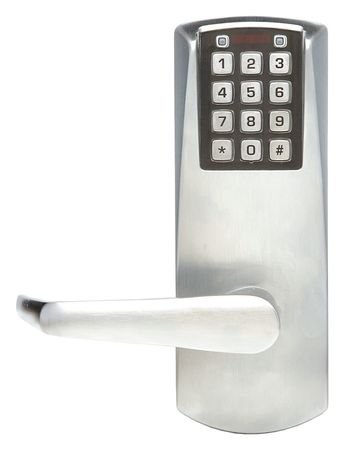
What You’ll Need
- Replacement batteries (check your lock’s specifications)
- Screwdriver (if needed for battery compartment access)
- Owner’s manual (for specific instructions related to your lock model)
- Flashlight (to see inside the lock if necessary)
- Optional: Backup key (if available)
Step-by-Step
- Identify the Lock Type: Determine if your keypad lock, such as the Simplex Battery Keypad Lever Lock, has a removable battery compartment or requires a different method to access the batteries.
- Check for Backup Access: If your lock has a backup key option, try using it to gain access to your home while you address the battery issue.
- Gather Tools: Collect all necessary tools and replacement batteries. Ensure you have a suitable screwdriver if your lock requires one.
- Remove the Lock Cover: Use the screwdriver to carefully remove the cover or panel on the lock to access the battery compartment. Be cautious not to strip any screws.
- Replace the Battery: Remove the old battery and install the new one, ensuring the positive and negative ends are positioned correctly.
- Reassemble the Lock: Replace the cover or panel securely, ensuring it is properly aligned and that all screws are tightened.
- Test the Lock: Enter your code on the keypad to verify that the lock is functioning correctly after the battery replacement.
- Store Backup Keys Safely: If you used a backup key, consider storing it in a secure yet accessible location for future emergencies.
Pro Tips for Better Results
- Always keep spare batteries on hand to avoid future lockouts.
- Regularly check the battery level if your lock provides a low-battery indicator.
- Consider using rechargeable batteries for sustainability and to reduce waste.
- Follow the manufacturer’s instructions for battery replacement to avoid damaging the lock.
Common Mistakes
- Forgetting to test the lock after replacing the battery, which may lead to further issues.
- Using the wrong type of battery, which can cause malfunction.
- Over-tightening screws during reassembly, which can damage the lock casing.
- Neglecting to check for corrosion in the battery compartment before inserting new batteries.
Troubleshooting
If the keypad lock does not function after replacing the battery, consider the following steps:
- Ensure the new battery is installed correctly with proper polarity.
- Check for corrosion or debris in the battery compartment that may impede connection.
- Verify that the keypad is not locked out due to multiple incorrect code entries.
- Consult the user manual for any specific troubleshooting steps related to your model.
Maintenance / Next-Time Checklist
- Regularly inspect the keypad for dirt or moisture buildup.
- Replace batteries at least once a year or sooner if your lock indicates a low battery.
- Test the lock’s functionality periodically to ensure it operates smoothly.
- Keep the user’s manual accessible for quick reference on maintenance procedures.
Recommended Products & Tools
When it comes to maintaining your keypad lock, having the right tools and products can make a significant difference. A reliable set of screwdrivers is essential for accessing battery compartments without damaging the lock. Additionally, using high-quality batteries ensures longer life and better performance. For those who prefer a hassle-free experience, considering a keypad lock with a built-in rechargeable battery can eliminate the need for frequent replacements.
FAQ
Q1: How often should I replace the batteries in my keypad lock?
A1: It’s recommended to replace the batteries at least once a year, or sooner if you notice signs of low battery life.
Q2: Can I use rechargeable batteries in my keypad lock?
A2: Yes, as long as they meet the specifications required by your lock, rechargeable batteries can be used.
Q3: What should I do if my keypad lock is unresponsive after changing the battery?
A3: Ensure the battery is installed correctly, check for corrosion, and consult the user manual for troubleshooting steps.
Q4: Is there a way to prevent my keypad lock from running out of battery quickly?
A4: Regular maintenance, such as cleaning the keypad and minimizing usage of battery-draining features, can help extend battery life.
Q5: Can I bypass the keypad if the battery is dead?
A5: If your lock has a backup key option, you can use that to gain access until you can replace the battery.
Wrap-Up
Dealing with a dead keypad lock battery doesn’t have to be a frustrating experience. By following the steps outlined in this guide, you can quickly regain access to your home and ensure your lock remains functional. Remember to maintain your lock regularly and keep spare batteries on hand to prevent future inconveniences. With the right knowledge and tools, you’ll be well-prepared for any battery-related challenges that may arise.

