Smart Sensor Routines: Lights On When The Door Opens
Creating a smart sensor routine that turns on lights when a door opens can enhance both security and convenience in your home. This guide will walk you through setting up such a system using a smart door sensor and compatible smart lights. Remember, safety is paramount, so ensure all devices are properly installed and configured before relying on them for home security.
Disclosure: As an Amazon Associate I earn from qualifying purchases at no cost for you.
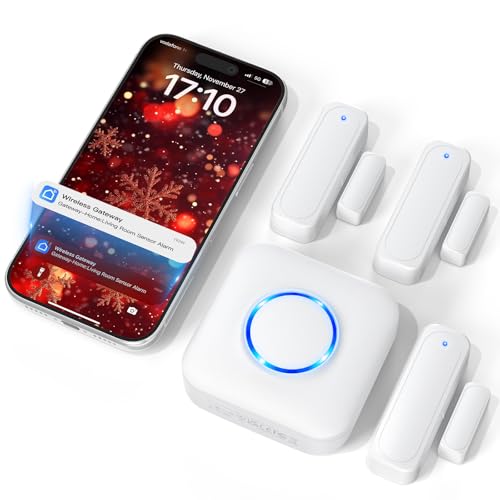
- Real-Time App Alerts for Safety – Monitor your home from anywhere via the Tuya/Smart Lif…
- Loud Chime for Business & Home – Never miss a customer with 5 volume levels (up to 110dB…
- 100% Wire-Free DIY Installation Plug and Play in Minutes – Simply plug the receiver into…
What You’ll Need
- Smart Door Sensor: A device that detects when a door opens or closes, such as a WiFi door sensor or Zigbee door sensor.
- Smart Lights: Compatible smart bulbs or light switches that can be controlled remotely or through routines.
- Smart Hub (if required): Some sensors may need a hub for connectivity, depending on the brand.
- Smartphone App: Download the relevant app (like Tuya Smart or Smart Life) to set up and manage your devices.
- WiFi Network: Ensure you have a stable 2.4GHz WiFi connection, as many smart sensors do not support 5GHz.
Step-by-Step
- Install the Smart Door Sensor: Use the included adhesive to attach the sensor to the door frame and the magnet on the door itself. Ensure they align properly when the door is closed.
- Connect the Sensor to Your App: Follow the instructions in the app to add the door sensor. Make sure your smartphone is connected to the same WiFi network.
- Set Up Notifications: Enable push notifications in the app settings so you can receive alerts when the door opens or closes.
- Integrate Smart Lights: If using a smart hub, connect your smart lights to the hub via the app. If not, ensure your lights are compatible with the same app used for the sensor.
- Create an Automation Routine: In the app, set up an automation that triggers the smart lights to turn on when the door sensor detects an open status.
- Test the System: Open the door to see if the lights activate as programmed. Adjust settings if necessary to improve responsiveness.
- Share Access: If multiple family members need to be notified, share access through the app so everyone receives alerts.
Pro Tips for Better Results

- Real-Time App Alerts for Safety – Monitor your home from anywhere via the Tuya/Smart Lif…
- Loud Chime for Business & Home – Never miss a customer with 5 volume levels (up to 110dB…
- 100% Wire-Free DIY Installation Plug and Play in Minutes – Simply plug the receiver into…
- Position the sensor where it is least likely to be obstructed by furniture or other objects.
- Keep the app updated to benefit from new features and security patches.
- Consider naming your devices clearly in the app to avoid confusion, especially if you have multiple sensors and lights.
- Experiment with different light settings to find the most comfortable brightness level for when the door opens.
Common Mistakes
- Installing the sensor too far from the smart hub or WiFi router, leading to connectivity issues.
- Neglecting to check battery levels or power sources, which can cause sensors or lights to fail unexpectedly.
- Overlooking the need for a 2.4GHz WiFi connection; ensure your network settings are compatible.
Troubleshooting
- If the lights don’t turn on, check the connection between the sensor and the app. Reconnect if necessary.
- Make sure that your smart bulbs are powered and functioning correctly.
- If notifications are delayed or not received, verify your phone’s notification settings and app permissions.
- Restart your router and devices if you encounter connectivity issues.
Maintenance / Next-Time Checklist
- Regularly check the battery level of your door sensor and replace as needed.
- Test the system monthly to ensure the lights and notifications are functioning properly.
- Update the app to the latest version for optimal performance.
Recommended Products & Tools
- WiFi Door Sensor Chime: Ideal for home security and alerts, this device sends real-time notifications to your phone.
- Smart WiFi Door Sensor: Works without a hub, making it easy to set up and integrate with smart lights.
- Smart Lights: Ensure they are compatible with your chosen sensor and app for seamless automation.
FAQ
- Can I use multiple sensors with one light? Yes, you can connect multiple sensors to trigger the same light.
- Do smart door sensors work with all types of doors? Most sensors are compatible with standard doors; check the installation instructions for specific use cases.
- What happens if my WiFi goes down? Some sensors may have limited functionality without WiFi, so consider those with local control options.
- Can I integrate these devices with voice assistants? Yes, many smart door sensors and lights are compatible with Alexa and Google Assistant.
- How far can the sensor be from the receiver? The range typically depends on the model, but many sensors offer a reliable range of around 100-500 feet indoors.

- WiFi DOOR SENSOR WITH APP ALERTS: No hub required and No fees charge. Control with the "…
- SPPPORTS VOICE CONTROL: Door alarms for home compatible with Amazon Alexa and Google Ass…
- LINK WITH OTHER TUYA SMART DEVICES: The smart window sensor can control other Tuya smart…
Wrap-Up
Implementing a smart sensor routine to turn on lights when a door opens can significantly enhance your home’s safety and convenience. By following these steps and tips, you’ll create a seamless experience that not only alerts you when someone enters but also illuminates your space for added comfort. Enjoy the peace of mind that comes with a well-set-up smart home!
Recommended Products & Tools
- Real-Time App Alerts for Safety – Monitor your home from anywhere via the Tuya/Smart Lif…
- Loud Chime for Business & Home – Never miss a customer with 5 volume levels (up to 110dB…
- 100% Wire-Free DIY Installation Plug and Play in Minutes – Simply plug the receiver into…

- WiFi DOOR SENSOR WITH APP ALERTS: No hub required and No fees charge. Control with the "…
- SPPPORTS VOICE CONTROL: Door alarms for home compatible with Amazon Alexa and Google Ass…
- LINK WITH OTHER TUYA SMART DEVICES: The smart window sensor can control other Tuya smart…

- [Note] No gateway required. When configuring a network for the Contact Window and Door S…
- [Instant Open/Close Detection And Alert] Check the opening/closing status of doors/windo…
- [Intelligent Linkage] The whole house 'moves' by the opening and closing status of the d…
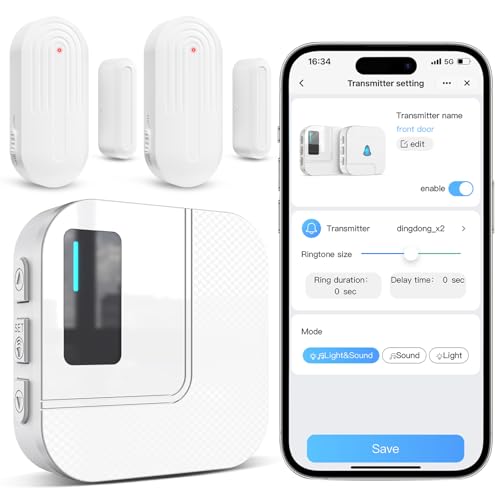
- WiFi Door Chimes when Door Opens – This WiFi alarm chime system can be connected to your…
- Easy to Install and Use – Plug the receiver into an outlet no more than 33FT away from t…
- 20 Chimes with Mute to 110dB – The WiFi door chime for business/home has 20 chimes with …

- A SMART START! Everything you need to get started: one YoLink Hub and four Door Sensors….
- WHY PAY A MONTHLY FEE, when you can secure it for free? Self-monitor and save when you t…
- THAT WAS EASY! Installs in moments: scan the sensor's QR code, give it a name, peel off …

- Zigbee Standard Compatible Door Sensor: Keep your home safe and smart with the zigbee do…
- Compact Design: No Tools Needed and the mini design sensor won't occupy any extra space….
- Real-time Alert Notification: Get alerts immediately on your Alexa app, you can stay inf…

