Single-Pole Vs 3-Way Smart Switch: How To Choose
Choosing between a single-pole and a 3-way smart switch can significantly impact your home automation experience. This guide will help you understand the differences, evaluate your needs, and make an informed decision. Always prioritize safety when working with electrical systems; if unsure, consult a qualified electrician.
Disclosure: As an Amazon Associate I earn from qualifying purchases at no cost for you.

- 𝐒𝐦𝐚𝐫𝐭 𝟑-𝐖𝐚𝐲, 𝟒-𝐖𝐚𝐲, 𝐚𝐧𝐝 𝐒𝐢𝐧𝐠𝐥𝐞-𝐏𝐨𝐥𝐞 𝐋𝐢𝐠𝐡𝐭𝐢𝐧𝐠: Control a single light from multiple locat…
- 𝐌𝐚𝐭𝐭𝐞𝐫-𝐂𝐞𝐫𝐭𝐢𝐟𝐢𝐞𝐝: Matter-certified devices, regardless of brand, can work together and a…
- 𝐄𝐧𝐞𝐫𝐠𝐲 𝐌𝐨𝐧𝐢𝐭𝐨𝐫𝐢𝐧𝐠: Track energy usage of connected lights and make eco-conscious adjustm…
What You’ll Need
- Smart switch (Single-pole or 3-way)
- Neutral wire (if required by your smart switch)
- 2.4GHz Wi-Fi network
- Smartphone for app installation
- Basic tools (screwdriver, wire stripper, etc.)
- Voltage tester (for safety checks)
Step-by-Step
- Evaluate Your Setup: Determine if you need a single-pole switch (for controlling one light from one location) or a 3-way switch (for controlling one light from two different locations).
- Check Wiring: Inspect your existing switch. If it has a neutral wire, you can proceed with most smart switches. If not, you may need to choose a switch compatible with your wiring setup.
- Choose Your Smart Switch: Select a smart switch based on your needs. For example, the TP-Link Tapo Smart Switch is versatile as it can function as single-pole, 3-way, or even 4-way.
- Turn Off Power: Before installation, turn off the circuit breaker to avoid any electrical hazards. Use a voltage tester to ensure the power is off.
- Remove the Existing Switch: Unscrew and carefully remove the existing switch. Note the wiring configuration to replicate it with the smart switch.
- Connect the New Switch: Follow the manufacturer’s instructions to connect the new smart switch. Ensure all connections are secure, especially the neutral wire if required.
- Install the App: Download the relevant app (like Kasa or Tapo) and follow the setup process to connect your smart switch to your Wi-Fi network.
- Test the Switch: Once installed, turn the power back on and test the switch to ensure it operates correctly via the app and voice commands.
Pro Tips for Better Results

- 𝐒𝐦𝐚𝐫𝐭 𝟑-𝐖𝐚𝐲, 𝟒-𝐖𝐚𝐲, 𝐚𝐧𝐝 𝐒𝐢𝐧𝐠𝐥𝐞-𝐏𝐨𝐥𝐞 𝐋𝐢𝐠𝐡𝐭𝐢𝐧𝐠: Control a single light from multiple locat…
- 𝐌𝐚𝐭𝐭𝐞𝐫-𝐂𝐞𝐫𝐭𝐢𝐟𝐢𝐞𝐝: Matter-certified devices, regardless of brand, can work together and a…
- 𝐄𝐧𝐞𝐫𝐠𝐲 𝐌𝐨𝐧𝐢𝐭𝐨𝐫𝐢𝐧𝐠: Track energy usage of connected lights and make eco-conscious adjustm…
- Always double-check your wiring before connecting the new switch.
- Use the scheduling feature to automate your lighting based on your daily routine.
- Consider grouping your smart switches with other devices for centralized control.
- Utilize energy monitoring features to track your power usage and make adjustments as needed.
Common Mistakes
- Not verifying if a neutral wire is necessary, leading to installation issues.
- Failing to turn off the power before starting, which poses safety risks.
- Ignoring app updates, which can improve functionality and security.
- Overlooking compatibility with existing smart home systems, like Alexa or Google Home.
Troubleshooting
- If the switch isn’t responding, ensure it is connected to the Wi-Fi network correctly.
- Check the wiring connections if the switch doesn’t function after installation.
- Restart the app or your smartphone if there are connectivity issues.
- Consult the manufacturer’s manual for specific error codes or troubleshooting steps.
Maintenance / Next-Time Checklist
- Regularly check the app for firmware updates to enhance performance.
- Inspect the switch for any signs of wear or damage.
- Review your lighting schedules and adjust as needed for seasonal changes.
- Keep the app installed and updated to maintain control over your smart switch.
Recommended Products & Tools
- TP-Link Tapo Smart Switch: Offers flexibility with its multi-way capabilities and energy monitoring features.
- Kasa Smart Switch: Known for its easy app-guided setup and reliability in smart home integration.
- Voltage Tester: Essential for ensuring safety during installation by confirming that power is off.
- Smartphone: Necessary for app control and scheduling, making it easier to manage your smart lighting.
FAQ
1. What is the primary difference between single-pole and 3-way switches?
Single-pole switches control lights from one location, whereas 3-way switches allow control from two different locations.
2. Do all smart switches require a neutral wire?
Not all smart switches require a neutral wire, but many do for proper functionality. Always check the specifications.
3. Can I use a smart switch with smart bulbs?
Generally, smart switches are not compatible with smart bulbs, as both control the same light source. It’s best to use them separately.
4. How do I reset my smart switch?
Refer to the manufacturer’s instructions for specific resetting procedures, which usually involve pressing a button on the switch.
5. Can I control my smart switch remotely?
Yes, as long as your smart switch is connected to your Wi-Fi network, you can control it via the app from anywhere.

- App-guided install: The Kasa or Tapo app guides you through step-by-step setup. Requires…
- 3-way or single pole: Using it as 3-way or single pole switch to control the light from …
- Control from anywhere & voice control: Use the Tapo or Kasa app to turn lights on/off fr…
Wrap-Up
Choosing between a single-pole and a 3-way smart switch depends on your specific needs and home layout. By following this guide, you can confidently select and install the right switch for your smart home setup. Remember to prioritize safety and consult professionals when necessary for the best results.
Recommended Products & Tools
- 𝐒𝐦𝐚𝐫𝐭 𝟑-𝐖𝐚𝐲, 𝟒-𝐖𝐚𝐲, 𝐚𝐧𝐝 𝐒𝐢𝐧𝐠𝐥𝐞-𝐏𝐨𝐥𝐞 𝐋𝐢𝐠𝐡𝐭𝐢𝐧𝐠: Control a single light from multiple locat…
- 𝐌𝐚𝐭𝐭𝐞𝐫-𝐂𝐞𝐫𝐭𝐢𝐟𝐢𝐞𝐝: Matter-certified devices, regardless of brand, can work together and a…
- 𝐄𝐧𝐞𝐫𝐠𝐲 𝐌𝐨𝐧𝐢𝐭𝐨𝐫𝐢𝐧𝐠: Track energy usage of connected lights and make eco-conscious adjustm…

- App-guided install: The Kasa or Tapo app guides you through step-by-step setup. Requires…
- 3-way or single pole: Using it as 3-way or single pole switch to control the light from …
- Control from anywhere & voice control: Use the Tapo or Kasa app to turn lights on/off fr…

- SMART UPGRADE: Transform your home by upgrading to a smart switch that works seamlessly …
- GUIDED INSTALLATION: Enjoy a guided installation with our step-by-step video and user ma…
- FLEXIBLE SCHEDULING: Take control of your home lighting by scheduling lights to turn on …
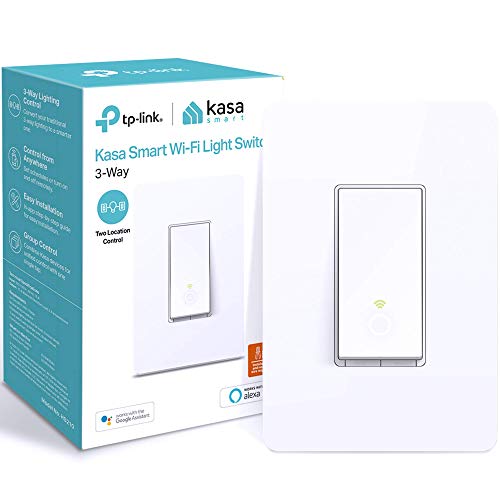
- App-Guided Install: The Kasa or Tapo app guides you through step-by-step setup. Requires…
- 3-way or single pole: Using it as 3-way or single pole switch to control the light from …
- Control from anywhere & voice control: Use the Tapo or Kasa app to turn lights on/off fr…

- 【Single Pole & 3 way Smart Switch】Easily replace any or both of your traditional 3 way s…
- 【Self-locking Toggle】Uniquely designed with patented technology, MOES smart toggle switc…
- 【Classic Touch Meets Modern Design】MOES smart toggle switch preserves the classic tactil…
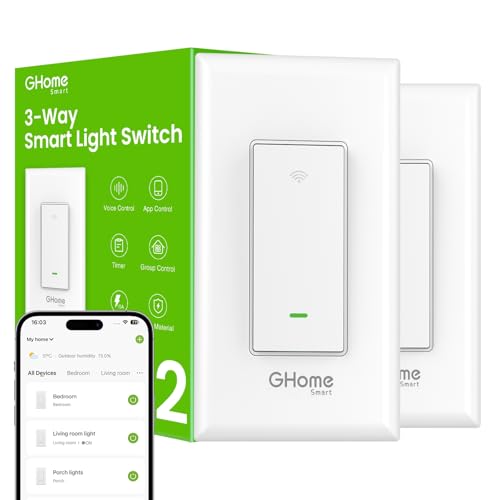
- 【Easy to Install】Not a dimmer, Neutral wire required, 2.4GHz Wi-Fi connection only (Not …
- 【Single-Pole or 3-Way】This smart switch 3 way can be installed for 3-way or single pole …
- 【Smart Voice Control】This smart 3 way light switch works with Amazon Alexa and Google As…
