Where To Place Outdoor Security Cameras (Coverage Tips)
Installing outdoor security cameras is a crucial step in enhancing your home’s safety and security. By strategically placing these cameras, you can achieve maximum coverage and protect your property effectively. In this guide, you’ll learn how to position your outdoor security cameras for optimal performance, along with practical tips to ensure you capture all necessary footage. Remember, while cameras provide an additional layer of security, they should not replace other safety measures.
Disclosure: As an Amazon Associate I earn from qualifying purchases at no cost for you.

- 【2K Ultra HD & Full Color Night Vision – 4 Cam Kit】Upgrade your home security with this …
- 【Wire-Free Battery Powered & Easy 3-Minute Setup】Experience a truly wireless security sy…
- 【Smart AI PIR Motion Detection & Instant Mobile Alerts】 Never miss a moment with smart P…
What You’ll Need
- Outdoor security cameras (like the GMK Security Cameras Wireless Outdoor 4 Pack)
- Mounting hardware (often included with cameras)
- Smartphone or tablet for app setup
- Ladder for higher placements
- Wi-Fi connection (2.4GHz for many outdoor cameras)
Step-by-Step
- Identify Key Areas for Surveillance: Start by determining the critical zones you want to monitor. Common areas include entry points like doors and windows, driveways, backyards, and garages.
- Check for Wi-Fi Coverage: Ensure that the areas where you plan to install the cameras have a stable Wi-Fi connection, especially for wireless models. Test the signal strength with your smartphone before installation.
- Choose Camera Locations: Select locations that provide a clear view of the areas you want to monitor. Ensure the cameras are positioned to avoid obstructions like trees or furniture.
- Mount the Cameras: Use the provided mounting hardware to securely install the cameras. For optimal angles, place them at least 8-10 feet off the ground, tilted slightly downward.
- Adjust Camera Settings: After installation, access the camera’s app to adjust settings like motion detection zones, alert notifications, and recording options to suit your needs.
- Test the Setup: Perform a test run by walking through the monitored areas to ensure the cameras are capturing clear footage and that motion alerts are functioning correctly.
- Optimize Night Vision Settings: If your cameras support night vision, ensure they are set up correctly to provide clear images in low-light conditions. Adjust the brightness and contrast settings if necessary.
- Share Access: If you want family members to monitor the cameras, use the sharing feature in the camera app to grant them access while retaining control over settings.
Pro Tips for Better Results

- 【2K Ultra HD & Full Color Night Vision – 4 Cam Kit】Upgrade your home security with this …
- 【Wire-Free Battery Powered & Easy 3-Minute Setup】Experience a truly wireless security sy…
- 【Smart AI PIR Motion Detection & Instant Mobile Alerts】 Never miss a moment with smart P…
- Consider placing cameras under eaves or awnings to protect them from the elements.
- Use cameras with features like two-way talk or sirens to deter potential intruders.
- Regularly review camera footage to familiarize yourself with normal activities in your area, making it easier to spot unusual behavior.
- Utilize motion detection settings to minimize unnecessary alerts, focusing only on areas of interest.
Common Mistakes
- Placing cameras too low, which makes them vulnerable to tampering.
- Ignoring the importance of Wi-Fi signal strength, leading to connectivity issues.
- Failing to account for night vision capabilities, resulting in poor visibility at night.
- Not regularly checking camera angles and settings after installation.
Troubleshooting
- If you experience connectivity issues, try repositioning the camera closer to the router or using a Wi-Fi extender.
- For blurry images, check the lens for dirt and clean it if necessary.
- If motion alerts are not triggering, verify that the motion detection settings are enabled and that the camera’s view is not obstructed.
- If night vision is not functioning, confirm that the camera is in a suitable environment for night mode and check the settings.
Maintenance / Next-Time Checklist
- Regularly clean the camera lenses to ensure clear video quality.
- Check battery levels if using wireless models and recharge as needed.
- Review camera settings periodically to adapt to changes in your environment.
- Test the connectivity and functionality of each camera every few months.
Recommended Products & Tools
For effective outdoor surveillance, consider using the GMK Security Cameras Wireless Outdoor 4 Pack. Their 2K resolution and color night vision features ensure high-quality footage day and night. Additionally, a reliable mounting kit is essential for secure installation, while a Wi-Fi extender can improve connectivity in hard-to-reach areas.
FAQ
- What’s the best height to install outdoor cameras? Aim for a height of 8-10 feet to reduce the risk of tampering while maintaining a clear view.
- Can I use outdoor cameras indoors? Yes, outdoor cameras can be used indoors, but ensure they are set to the appropriate settings for indoor use.
- How do I access my camera footage remotely? Most cameras come with a mobile app that allows you to view live feeds and recorded footage from anywhere.
- What should I do if my camera is not recording? Check the settings in your camera app to ensure recording is enabled and verify that there is sufficient storage space.
- Are outdoor cameras weatherproof? Many outdoor cameras, like the GMK model, are designed to withstand various weather conditions, but always check the product specifications.

- 5MP Ultra HD Video with Unique Magnifier Zoom – The Soliom 5MP outdoor security camera d…
- No Subscription, No Monthly Fees with Soliom Base – All recordings are securely encrypte…
- 360° Auto Motion Tracking & Multi-Camera Tracking – The Soliom wireless outdoor security…
Wrap-Up
Placing outdoor security cameras strategically can significantly enhance your home’s security. By following these guidelines, you can ensure that your cameras provide maximum coverage and are set up effectively. Regular maintenance and adjustments will keep your system functioning optimally, allowing you peace of mind regarding your home’s safety.
Recommended Products & Tools
- 【2K Ultra HD & Full Color Night Vision – 4 Cam Kit】Upgrade your home security with this …
- 【Wire-Free Battery Powered & Easy 3-Minute Setup】Experience a truly wireless security sy…
- 【Smart AI PIR Motion Detection & Instant Mobile Alerts】 Never miss a moment with smart P…

- 5MP Ultra HD Video with Unique Magnifier Zoom – The Soliom 5MP outdoor security camera d…
- No Subscription, No Monthly Fees with Soliom Base – All recordings are securely encrypte…
- 360° Auto Motion Tracking & Multi-Camera Tracking – The Soliom wireless outdoor security…

- 2K HD Live Video, Picture & Color Night Vision: The security cameras wireless outdoor pr…
- Rechargeable & Waterproof & Wire-Free: This wireless rechargeable outdoor/indoor camera …
- PIR Motion Detection with AI Analysis Recognition: This outdoor camera wireless with adv…

- Smart Motion Tracking — Motion tracking allows DEKCO outdoor security camera to detect…
- Bright Floodlights and Full-Color Night Vision — DEKCO dome surveillance cameras built-…
- 350°Viewing Angle and Remote Monitoring — DEKCO WIFI security camera outdoor is designe…

- 【Easy Setup Whole-Home Security Cameras】Ready to use right out of the box!This home secu…
- 【2K HD & Color Night Vision】Whether you’re watching pets play by day or clearly distingu…
- 【IP66 Weatherproof Durability】Engineered for endurance, these cameras for home security …
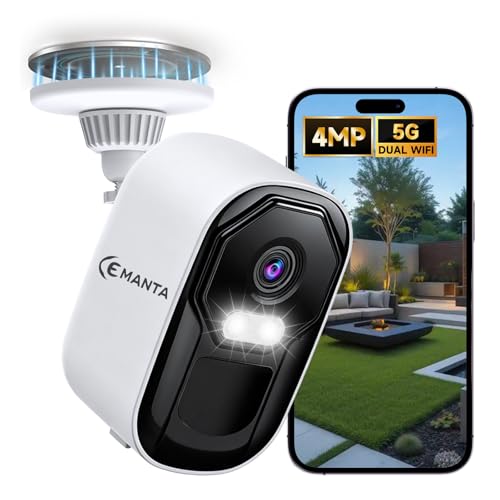
- 【Why over 10,000+ users choose us】4MP Security camera sharper than 2K UHD. Dual-band 2.4…
- 【Free Cloud Storage & Local SD Card】Enjoy free cloud storage with no subscription fees, …
- 【Easy Setup & Dual-Band WiFi】Supports both 2.4GHz and 5GHz WiFi for a stable, fast conne…

