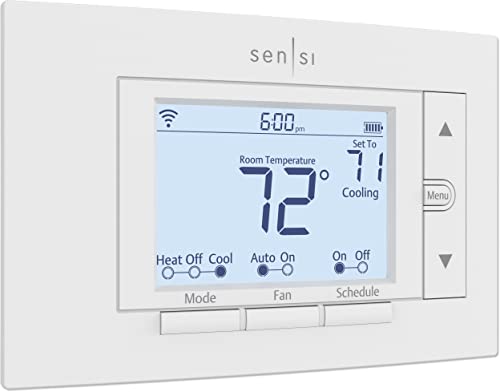
Thermostat Won’t Hold Temperature? Common Causes
If your thermostat isn’t maintaining the desired temperature, it can lead to discomfort and increased energy consumption. This guide will help you identify common causes for this issue and provide step-by-step solutions to restore proper temperature control. Before starting, ensure you turn off power to your HVAC system for safety.
Disclosure: As an Amazon Associate I earn from qualifying purchases at no cost for you.

- Tamper Proof Thermostat for landlord and commerical property owners
- Renters/Guest can not set heat over 72 degrees
- Renters/Guests can not set cool below 75 degrees
What You’ll Need
- ControlTemp CT100 Standard Tamper Proof Thermostat (or similar model)
- Flathead and Phillips screwdrivers
- Level tool
- Wire strippers
- Voltage tester
- Cleaning cloth
- Smartphone or tablet (for programmable thermostats)
Step-by-Step
- Check the Location of Your Thermostat: Ensure that your thermostat is installed away from direct sunlight, drafts, or heat sources. Ideally, it should be on an interior wall.
- Inspect the Thermostat Settings: Review the programming on your thermostat. Make sure it’s set correctly for your desired heating or cooling schedule.
- Assess the Wiring: Turn off the power to your HVAC system and remove the thermostat cover. Check for loose or corroded wires. Reconnect or replace as necessary.
- Calibration Check: Use a level tool to ensure the thermostat is mounted straight. An uneven thermostat can affect its readings.
- Clean the Thermostat: Dust and debris can interfere with the thermostat’s sensors. Use a cleaning cloth to gently wipe the device and remove any buildup.
- Test the HVAC System: Turn the power back on and test the heating or cooling system to ensure it responds correctly to the thermostat settings.
- Install a New Thermostat (if needed): If issues persist, consider replacing your thermostat with a model like the ControlTemp CT100, which offers tamper-proof features and a programmable schedule.
- Monitor Performance: After adjustments or installation, monitor the thermostat’s performance over the next few days to ensure it holds the desired temperature.
Pro Tips for Better Results

- Tamper Proof Thermostat for landlord and commerical property owners
- Renters/Guest can not set heat over 72 degrees
- Renters/Guests can not set cool below 75 degrees
- For programmable thermostats, take advantage of setting routines to match your lifestyle, which can help maintain consistent temperatures.
- Regularly check and replace HVAC filters to ensure proper airflow, which can affect thermostat performance.
- Consider using a professional for installation or complicated repairs to avoid further issues.
Common Mistakes
- Not checking the battery level of battery-operated thermostats, which can lead to erratic behavior.
- Ignoring the importance of proper placement away from drafts or direct sunlight.
- Failing to regularly clean the thermostat, which can lead to inaccurate readings.
Troubleshooting
If your thermostat still won’t hold temperature after following the steps, try these troubleshooting tips:
- Check for HVAC system errors or alerts on any smart thermostats.
- Inspect the HVAC system for signs of malfunction, such as unusual noises or inconsistent airflow.
- Reset the thermostat to factory settings, then reprogram it to see if that resolves the issue.
Maintenance / Next-Time Checklist
- Regularly inspect and clean your thermostat every few months.
- Change HVAC filters at least every three months to ensure optimal airflow.
- Test and replace batteries in battery-operated thermostats annually.
Recommended Products & Tools
Using a ControlTemp CT100 Standard Tamper Proof Thermostat can greatly assist in maintaining a consistent temperature, especially in rental properties. Its programmable features allow for tailored heating and cooling schedules, making it suitable for different occupants. Additionally, having basic tools like screwdrivers and a voltage tester will facilitate any necessary adjustments or installations.
FAQ
- Q: Why is my thermostat not responding?
A: It may be due to dead batteries, incorrect wiring, or a malfunctioning HVAC system. - Q: How can I tell if my thermostat is broken?
A: If it doesn’t respond to temperature changes or the HVAC system doesn’t activate, it might be broken. - Q: Can a dirty thermostat affect performance?
A: Yes, dust and debris can interfere with sensors, leading to inaccurate temperature readings. - Q: What should I do if my thermostat keeps changing settings?
A: Check for tampering, faulty wires, or programming issues that may cause this behavior. - Q: Is it worth upgrading to a smart thermostat?
A: Smart thermostats offer advanced features like remote control and energy usage tracking, which can enhance comfort and efficiency.
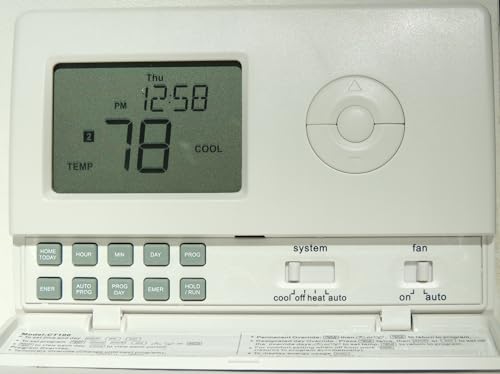
- Tamper Proof Thermostat for landlord and commerical property owners
- Renters/Guest can not set heat over 72 degrees
- Renters/Guests can not set cool below 75 degrees
Wrap-Up
Understanding the common causes of thermostat issues can help you maintain a comfortable environment in your home or rental property. By following the steps outlined in this guide, you can troubleshoot and potentially resolve many common thermostat problems. Remember to regularly maintain your thermostat and HVAC system for the best results.
Recommended Products & Tools
- Tamper Proof Thermostat for landlord and commerical property owners
- Renters/Guest can not set heat over 72 degrees
- Renters/Guests can not set cool below 75 degrees