Smart Thermostat Placement: Best Wall Location
Installing a smart thermostat in the right location can significantly enhance its efficiency and effectiveness. This guide will walk you through the steps to find the best wall location for your thermostat, ensuring optimal performance and energy savings. Before you start, remember to turn off the power to your HVAC system to avoid any electrical mishaps.
Disclosure: As an Amazon Associate I earn from qualifying purchases at no cost for you.

- PRIVACY PROTECTION*: Sensi won’t sell your personal information to third parties
- SAVE ABOUT 23% ON HVAC ENERGY*: The ENERGY STAR-certified Sensi smart thermostat can hel…
- EASY DIY INSTALLATION: Use the built-in level and step-by-step app instructions for a qu…
What You’ll Need
- Smart thermostat (e.g., Emerson Sensi Wi-Fi Smart Thermostat)
- Level tool
- Screwdriver (flathead and Phillips)
- Drill (if needed for new wall anchors)
- Smartphone or tablet (for app integration)
- Measuring tape
Step-by-Step
- Choose a Location: Select a wall that is centrally located in your home. Avoid corners, as they can lead to inaccurate temperature readings.
- Avoid Direct Sunlight: Ensure the thermostat is not exposed to direct sunlight, as this can heat it up and cause it to provide incorrect readings.
- Keep Away from Drafts: Avoid placing the thermostat near doors, windows, or vents where air drafts can affect its performance.
- Height Matters: Install the thermostat at eye level, typically around 5 feet off the ground, to ensure accurate readings and easy access.
- Use a Level Tool: Before securing the thermostat, use a level tool to ensure it is straight. An uneven placement can lead to inaccurate temperature readings.
- Secure the Thermostat: Follow the installation instructions provided with your thermostat. Use the appropriate screws and anchors if drilling into drywall.
- Connect to Wi-Fi: Once installed, follow the app instructions to connect your thermostat to your home Wi-Fi network.
- Test the System: Turn the power back on and test the thermostat to ensure it is functioning correctly and accurately reading the temperature.
Pro Tips for Better Results

- PRIVACY PROTECTION*: Sensi won’t sell your personal information to third parties
- SAVE ABOUT 23% ON HVAC ENERGY*: The ENERGY STAR-certified Sensi smart thermostat can hel…
- EASY DIY INSTALLATION: Use the built-in level and step-by-step app instructions for a qu…
- Consider using a smart thermostat that offers features like geofencing or remote access for enhanced control.
- Install a temperature sensor in rooms that are far from the thermostat location to ensure even heating or cooling.
- Regularly monitor your thermostat’s performance through its app to make adjustments as needed.
Common Mistakes
- Installing the thermostat too close to heating or cooling sources, such as radiators or air vents.
- Neglecting to level the thermostat, which can lead to incorrect temperature readings.
- Ignoring the manufacturer’s installation guidelines, which can affect warranty coverage.
Troubleshooting
- If the thermostat is not connecting to Wi-Fi, ensure your router is functioning correctly and within range.
- For inaccurate temperature readings, check if the thermostat is installed away from drafts or direct sunlight.
- If the thermostat is unresponsive, try resetting it according to the manufacturer’s instructions.
Maintenance / Next-Time Checklist
- Regularly check for software updates through the thermostat’s app.
- Clean the thermostat’s face and surrounding area to avoid dust buildup.
- Check the HVAC system’s filters and schedule maintenance to ensure optimal performance.
Recommended Products & Tools
- Emerson Sensi Wi-Fi Smart Thermostat: This model features easy DIY installation and is compatible with most HVAC systems, making it a great option for many homes.
- Level Tool: A simple level tool ensures your thermostat is mounted straight, which is crucial for accurate temperature readings.
- Smartphone or Tablet: Essential for app integration, allowing you to control your thermostat remotely and access its features easily.
FAQ
1. Can I install a smart thermostat without a C-wire?
Some models, like the Emerson Sensi, do not require a C-wire, making them suitable for homes without this wiring.
2. How do I know if my HVAC system is compatible?
Check the compatibility checker provided by the thermostat manufacturer or consult the installation manual.
3. What should I do if my thermostat is not reading the temperature correctly?
Ensure it is not exposed to drafts or direct sunlight and that it is level. If issues persist, consider contacting customer support.
4. How often should I change the thermostat’s batteries?
Many smart thermostats have rechargeable batteries, but if yours uses standard batteries, check them every six months.
5. Can I control my thermostat with my voice?
Yes, many smart thermostats are compatible with voice assistants like Alexa or Google Assistant for hands-free control.
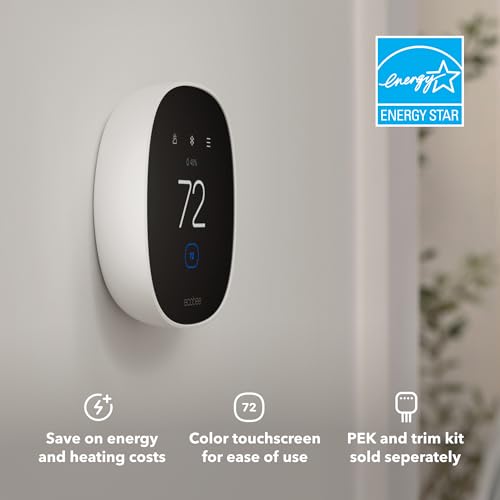
- Save up to 23% every year on heating and cooling costs, adjusts to your set schedule to …
- Compatible with 85% of systems, check your system’s compatibility with our online ecobee…
- Change your temperature by easily tapping the color touchscreen or using the ecobee app….
Wrap-Up
Proper placement of a smart thermostat is crucial for maximizing its efficiency and ensuring your home remains comfortable. By following the outlined steps and tips, you will set up your smart thermostat effectively. Enjoy the benefits of energy savings and enhanced control over your home environment!
Recommended Products & Tools
- PRIVACY PROTECTION*: Sensi won’t sell your personal information to third parties
- SAVE ABOUT 23% ON HVAC ENERGY*: The ENERGY STAR-certified Sensi smart thermostat can hel…
- EASY DIY INSTALLATION: Use the built-in level and step-by-step app instructions for a qu…

- Save up to 23% every year on heating and cooling costs, adjusts to your set schedule to …
- Compatible with 85% of systems, check your system’s compatibility with our online ecobee…
- Change your temperature by easily tapping the color touchscreen or using the ecobee app….

- Smart upgrade – Amazon Smart Thermostat is an easy way to switch from a traditional ther…
- Create comfort zones throughout your home by using select Echo devices or Amazon Smart A…
- Save money – After purchase, Amazon will send you an email with details about rebates th…

- ENERGY STAR certified smart thermostat for home that helps you save energy and stay comf…
- The Nest Thermostat is designed to work without a C wire in most homes, but for some sys…
- Nest Thermostat turns itself down when you leave, so you don’t waste energy heating or c…

- SAVE UP TO 26% ON HEATING COSTS: Create custom schedules for every day of the week, redu…
- CONTROL FROM ANYWHERE: Connects directly to your home WiFi — no hub required. Use the fr…
- WORKS WITH VOICE ASSISTANTS: Pair with Apple HomeKit, Amazon Alexa, or Google Home for h…

- High use of the scheduling feature of the T5 thermostat saved customers between 8 and 16…
- Save Energy and Get Rewarded. Check with your energy provider about available energy sav…
- 7-Day Flexible Scheduling or Location Based Temperature Control. It’s your choice. 7-day…
