3-Way Smart Switch Wiring Explained (Simple Guide)
In this guide, you’ll learn how to wire a 3-way smart switch, specifically using products like the Kasa Smart 3 Way Switch HS210 KIT. By the end, you’ll be able to control your lighting from multiple locations with ease, integrating modern technology into your home. Always prioritize safety when working with electrical components; if you’re unsure, consult a professional electrician.
Disclosure: As an Amazon Associate I earn from qualifying purchases at no cost for you.

- App-guided install: The Kasa or Tapo app guides you through step-by-step setup. Requires…
- 3-way or single pole: Using it as 3-way or single pole switch to control the light from …
- Control from anywhere & voice control: Use the Tapo or Kasa app to turn lights on/off fr…
What You’ll Need
- 3-Way Smart Switch (e.g., Kasa Smart 3 Way Switch HS210 KIT)
- Wire Strippers
- Phillips and Flat Head Screwdrivers
- Voltage Tester
- Electrical Tape
- Wire Nuts
- Neutral Wire (required for smart switch)
Step-by-Step
- Turn Off Power: Before starting, turn off the power at the circuit breaker to avoid any electrical hazards.
- Remove Existing Switch: Use a screwdriver to remove the cover plate and unscrew the existing switch. Carefully pull it out from the wall box.
- Identify Wires: Use a voltage tester to ensure no power is flowing. Identify the common wire (usually black or red) and traveler wires (typically red and black). Note the existing connections.
- Connect the Smart Switch: Follow the wiring diagram provided with your smart switch. Connect the common wire to the common terminal of the smart switch and the traveler wires to the corresponding terminals.
- Attach the Neutral Wire: Connect the neutral wire (usually white) to the designated terminal on the smart switch. This is crucial for smart switches to function properly.
- Secure Connections: Use wire nuts to secure all connections and electrical tape to cover any exposed wires. Ensure everything is tight and secure.
- Install the Switch: Carefully push the wires back into the wall box and mount the smart switch to the wall. Replace the cover plate.
- Restore Power: Turn the power back on at the circuit breaker and test the switch to ensure it works correctly.
Pro Tips for Better Results

- App-guided install: The Kasa or Tapo app guides you through step-by-step setup. Requires…
- 3-way or single pole: Using it as 3-way or single pole switch to control the light from …
- Control from anywhere & voice control: Use the Tapo or Kasa app to turn lights on/off fr…
- Ensure your Wi-Fi signal is strong in the area where the switch is installed for optimal performance.
- Label your wires before disconnecting them to avoid confusion during reinstallation.
- Use the Kasa or Tapo app for app-guided installation, which provides a step-by-step walkthrough.
Common Mistakes
- Neglecting to turn off the power, which can lead to electrical shock.
- Not connecting the neutral wire, resulting in the smart switch not functioning.
- Incorrectly wiring traveler wires, which can cause the switch to malfunction.
Troubleshooting
- If the switch does not respond, ensure the neutral wire is properly connected.
- Check if the breaker is turned on, and confirm the Wi-Fi connection is stable.
- Use the app to reset the switch if it becomes unresponsive.
Maintenance / Next-Time Checklist
- Regularly check for loose connections or any signs of wear.
- Ensure that the app is updated for the best performance and features.
- Test the switch’s functionality periodically to confirm it operates as expected.
Recommended Products & Tools
- Kasa Smart 3 Way Switch HS210 KIT: This switch is designed for easy installation and works seamlessly with Alexa and Google Home.
- Wire Strippers: Essential for preparing wires without damaging them, ensuring secure connections.
- Voltage Tester: A critical safety tool to confirm that wires are not live before you begin working.
FAQ
1. Do I need a neutral wire for a smart switch?
Yes, most smart switches, including the Kasa Smart Switch, require a neutral wire for operation.
2. Can I use this switch with dimmable bulbs?
Some smart switches are compatible with dimmable bulbs, but ensure you check the product specifications before installation.
3. Will the switch work without Wi-Fi?
No, smart switches require a Wi-Fi connection to function and be controlled remotely.
4. How do I reset the smart switch?
Typically, there’s a reset button on the switch; refer to the user manual for specific instructions.
5. Can I install this switch outdoors?
Most smart switches are designed for indoor use only, so check the specifications for outdoor compatibility.

- App-Guided Install: The Kasa or Tapo app guides you through step-by-step setup. Requires…
- 3-way or single pole: Using it as 3-way or single pole switch to control the light from …
- Control from anywhere & voice control: Use the Tapo or Kasa app to turn lights on/off fr…
Wrap-Up
Wiring a 3-way smart switch can greatly enhance your home’s lighting control and convenience. By following this guide, you can ensure a successful installation. Always prioritize safety and consult a professional if you encounter any uncertainties during the process.
Recommended Products & Tools
- App-guided install: The Kasa or Tapo app guides you through step-by-step setup. Requires…
- 3-way or single pole: Using it as 3-way or single pole switch to control the light from …
- Control from anywhere & voice control: Use the Tapo or Kasa app to turn lights on/off fr…
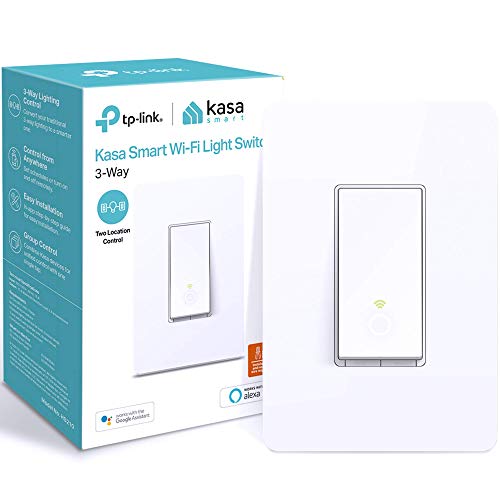
- App-Guided Install: The Kasa or Tapo app guides you through step-by-step setup. Requires…
- 3-way or single pole: Using it as 3-way or single pole switch to control the light from …
- Control from anywhere & voice control: Use the Tapo or Kasa app to turn lights on/off fr…

- 【3 WAY SMART DIMMER SWITCH】Replaces traditional 3-way switches found in living rooms, st…
- 【1%-100% DIMMING with SCHEDULING】Adjust to your desired brightness directly from the ele…
- 【APP-GUIDED INSTALL】The Kasa or Tapo app guides you through step-by-step setup. Requires…

- SMART UPGRADE: Transform your home by upgrading to a smart switch that works seamlessly …
- GUIDED INSTALLATION: Enjoy a guided installation with our step-by-step video and user ma…
- FLEXIBLE SCHEDULING: Take control of your home lighting by scheduling lights to turn on …
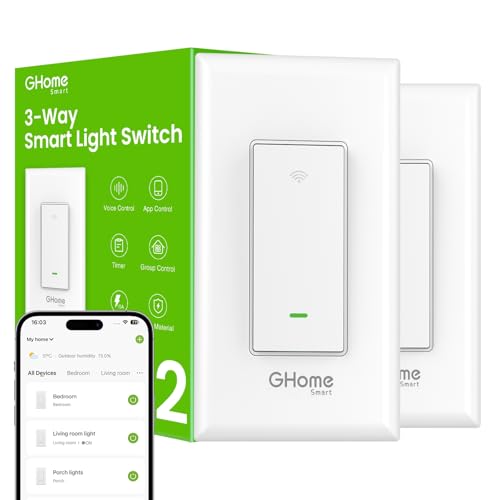
- 【Easy to Install】Not a dimmer, Neutral wire required, 2.4GHz Wi-Fi connection only (Not …
- 【Single-Pole or 3-Way】This smart switch 3 way can be installed for 3-way or single pole …
- 【Smart Voice Control】This smart 3 way light switch works with Amazon Alexa and Google As…

- Easy Installation & Compatibility: Designed for 2.4GHz Wi-Fi smart switch (NOT compatibl…
- Single-Pole & 3-Way Versatility: Perfect for both single-pole and 3-way setups, this sma…
- Smart Home Integration: Enjoy hands-free voice control with Alexa and Google Assistant, …
