How To Test A Water Leak Sensor Properly
Testing a water leak sensor is crucial to ensure that it functions correctly and provides the necessary alerts to prevent water damage. By following this guide, you will learn how to effectively test your water leak sensor, ensuring it is ready to alert you in case of leaks. Remember to prioritize safety by avoiding contact with water while testing and ensuring that the sensor is kept dry when not in use.
Disclosure: As an Amazon Associate I earn from qualifying purchases at no cost for you.
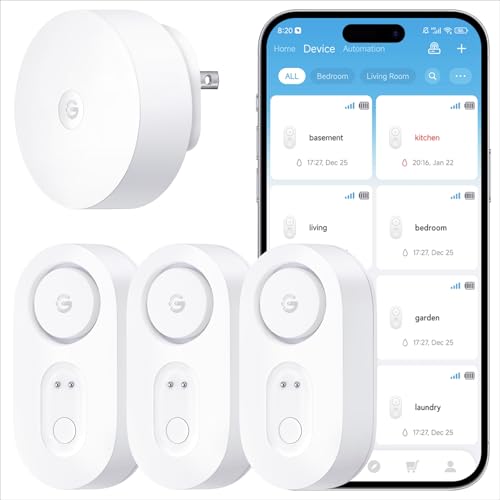
- Breakthrough 550m/1804ft Connectivity: Engineered with advanced Sub-1G long-range wirele…
- Multiple Reminder Methods: Our water leak sensor supports multiple remote alarm. It can …
- Feature-Rich App: Receive instant push notifications. Use the “Find Device” feature to q…
What You’ll Need
- Water leak sensor (e.g., GoveeLife Upgraded Smart Water Leak Detector)
- Water source (e.g., a cup of water or a damp cloth)
- Smartphone or device for app notifications (if applicable)
- Timer or stopwatch (optional)
- Paper towels or cloth for cleanup
Step-by-Step
- Read the Manual: Before testing, familiarize yourself with the sensor’s manual. Different models may have specific instructions or features.
- Choose the Testing Location: Select a location where you would typically place the sensor, such as near appliances, basements, or under sinks.
- Prepare the Water Source: Use a small amount of water, either by pouring it directly onto the sensor or using a damp cloth to simulate a leak.
- Activate the Sensor: If your sensor has a power button, make sure it is turned on. For Wi-Fi models, ensure it is connected to the network.
- Monitor the Alerts: Watch for notifications on your smartphone or listen for the alarm. The GoveeLife sensor, for example, can send SMS and app alerts.
- Check the Alarm Volume: Adjust the volume settings if applicable. You should hear a clear alarm indicating a leak detection.
- Document the Response Time: Take note of how quickly the sensor alerts you, helping you understand its responsiveness.
- Clean Up: After testing, wipe the sensor dry and clean the area to prevent any residual moisture from causing false alerts.
Pro Tips for Better Results
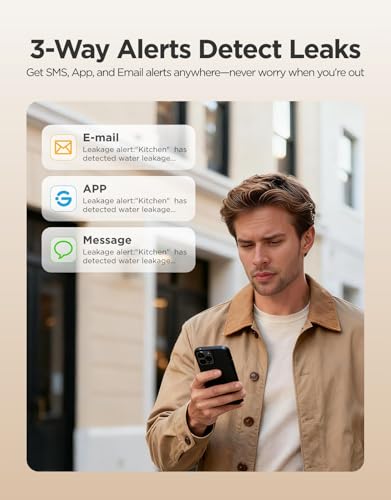
- Breakthrough 550m/1804ft Connectivity: Engineered with advanced Sub-1G long-range wirele…
- Multiple Reminder Methods: Our water leak sensor supports multiple remote alarm. It can …
- Feature-Rich App: Receive instant push notifications. Use the “Find Device” feature to q…
- Test your sensor regularly, ideally every few months, to ensure it remains functional.
- Place the sensor in locations prone to leaks, such as under sinks or near water heaters, for optimal monitoring.
- Use multiple sensors throughout your home for comprehensive coverage, especially in larger areas.
- Adjust the alarm settings based on your living environment to ensure you’re alerted without being overwhelmed.
Common Mistakes
- Testing the sensor in an area it won’t typically monitor can lead to inaccurate results.
- Neglecting to check battery life can result in the sensor being non-functional when needed.
- Using too much water during testing may damage the sensor if it is not rated for submersion.
- Ignoring app notifications can lead to missed alerts, so ensure your phone settings allow notifications from the sensor app.
Troubleshooting
- If the sensor does not alert you, check the battery and replace it if necessary.
- Ensure that the sensor is within range of your Wi-Fi network if applicable.
- Verify that the sensor is correctly placed on a flat surface to ensure accurate water detection.
- If the alarm sounds continuously without water, clean the sensor probes to remove any debris or moisture.
Maintenance / Next-Time Checklist
- Regularly check the battery life and replace batteries as needed.
- Clean the sensor probes to prevent false alarms or detection issues.
- Review and update the app settings to ensure you receive alerts promptly.
- Test the sensor again after any significant changes in the environment or after a heavy rainfall.
Recommended Products & Tools
- GoveeLife Upgraded Smart Water Leak Detector: This sensor offers advanced connectivity and multiple alert methods, making it ideal for comprehensive leak detection.
- X-Sense Wi-Fi Water Leak Detector Kit: With its app alerts and ultra-slim design, this kit is perfect for tight spaces and provides reliable monitoring.
- YoLink Water Leak Detector: Utilizing LoRa technology, it offers a long-range solution for areas where Wi-Fi may not reach.
- Water Leak Detector Tool: This professional tool is great for detecting underground leaks and is useful in various construction scenarios.
FAQ
- How often should I test my water leak sensor? It’s recommended to test your water leak sensor every few months to ensure it is functioning properly.
- Can I use multiple sensors in different locations? Yes, using multiple sensors can help monitor various areas of your home for leaks.
- What should I do if my sensor doesn’t alert me? Check the battery, ensure proper placement, and verify any connectivity issues.
- Are water leak sensors waterproof? Most sensors have a waterproof rating, but it’s important to check the specifications for your specific model.
- Can I silence the alarm if it goes off? Many smart sensors, like the GoveeLife model, allow you to mute the alarm through the app.

- Drip & Leak Alerts: Water leak detector alarm is designed with 4 rear water leakage dete…
- Notice: This water leak sensor alarm doesn't have WiFi and Bluetooth functions, doesn't …
- Wireless & Easy to Use: No wire or setup required, just put it on any place where the wa…
Wrap-Up
Testing your water leak sensor is a simple yet crucial task that can help safeguard your home from water damage. By following the steps outlined in this guide, you can ensure that your sensor is working effectively and ready to alert you to any leaks. Regular maintenance and testing will enhance your peace of mind and protect your property.
Recommended Products & Tools
- Breakthrough 550m/1804ft Connectivity: Engineered with advanced Sub-1G long-range wirele…
- Multiple Reminder Methods: Our water leak sensor supports multiple remote alarm. It can …
- Feature-Rich App: Receive instant push notifications. Use the “Find Device” feature to q…

- Drip & Leak Alerts: Water leak detector alarm is designed with 4 rear water leakage dete…
- Notice: This water leak sensor alarm doesn't have WiFi and Bluetooth functions, doesn't …
- Wireless & Easy to Use: No wire or setup required, just put it on any place where the wa…

- Daily Use: Underground water pipe leak monitor is widely suitable for site construction,…
- Sound Intensifier: Reliable detection, water pipe leakage monitor comes with high defini…
- Professional & Practical: Water leakage monitor is equipped with two kinds of probes, an…

- Note: Compatible only with 2.4 GHz Wi-Fi (incompatible with 5.0 GHz); connects to the X-…
- Never Miss a Leak: When a water leak is detected, a red light will flash on the water le…
- Feature-Rich App: Adjust the base station alarm volume, mute an alarm, and view your ala…

- Real-time Alerts & Various Notifications: Connect the gateway to WiFi, and the water det…
- Connects to Multiple Sensors: This water leak detector is equipped with a powerful WiFi …
- Drip and Leak Detection: The water sensor alarm with 2 groups of backwater detector prob…

- No WiFi Worries: Say goodbye to WiFi dependency! YoLink devices use industrial-grade LoR…
- Effortless Installation: Set it and forget it! Installing the YoLink wireless Water Sens…
- Extreme Long Range: Powered by LoRa technology, our system offers the industry's longest…

