How To Set Entry/Exit Delays For Door Sensors
Setting entry and exit delays for door sensors is essential for maintaining security while allowing users to come and go without triggering alarms inadvertently. This guide will walk you through the process of configuring delays on door sensors, ensuring you can customize your security setup to fit your needs. Always remember to test your system after making adjustments to ensure it functions as intended.
Disclosure: As an Amazon Associate I earn from qualifying purchases at no cost for you.

- ALERT SYSTEM: This compact door alarm emits a loud 110dB siren sound level adjustment to…
- EASY INSTALLATION: Simply attach the main unit with switch to the door frame and the mag…
- VERSATILE DESIGN: Flexible cable allows the alarm to be positioned on various door types…
What You’ll Need
- Door sensor (e.g., Exit Stopper Door Alarm)
- Owner’s manual for your specific door sensor model
- Screwdriver (if required for installation)
- Measuring tape (for positioning sensors)
- 9V battery (if not included with the sensor)
Step-by-Step
- Read the Manual: Start by thoroughly reading the manual that comes with your door sensor. It will provide specific instructions on setting delays based on the model.
- Determine Delay Duration: Decide how long you want the entry and exit delays to be. Common durations range from 10 to 60 seconds, depending on your needs.
- Access the Settings: Open the sensor’s settings panel. This may require removing the unit from its mounting or using a small screwdriver to access internal settings.
- Adjust Delay Settings: Locate the delay adjustment switch or button. Some models may have a digital display, while others use dip switches. Set the desired time for entry and exit delays.
- Test the Settings: Close the door and activate the sensor to test the new settings. Ensure the alarm activates only after the set delay period.
- Secure the Unit: Once satisfied with the delay settings, securely mount the sensor back in place. Ensure that it is aligned properly with the door mechanism.
- Conduct Regular Tests: Regularly test the sensor after installation to ensure it continues to function correctly and that the delays are still set as desired.
Pro Tips for Better Results

- ALERT SYSTEM: This compact door alarm emits a loud 110dB siren sound level adjustment to…
- EASY INSTALLATION: Simply attach the main unit with switch to the door frame and the mag…
- VERSATILE DESIGN: Flexible cable allows the alarm to be positioned on various door types…
- Consider the typical traffic through the door to decide on appropriate delay times.
- If using multiple sensors, ensure they are synchronized to avoid confusion.
- Regularly check battery levels in battery-operated sensors to maintain reliability.
- Use a measuring tape to ensure proper alignment between the sensor and magnet for optimal performance.
Common Mistakes
- Not reading the manual thoroughly can lead to incorrect settings.
- Failing to test the sensor after setting delays can result in unexpected alarms.
- Improper alignment of the sensor and door magnet may cause false alarms.
- Setting delays that are too short for heavy traffic areas may lead to frequent false alarms.
Troubleshooting
If you encounter issues with your door sensor after setting the delays, consider the following:
- Check the battery level if the alarm does not activate after the delay.
- Revisit the settings to ensure they were saved correctly.
- Inspect the alignment of the sensor and magnet; they must be properly aligned for the system to work.
- If the sensor continues to malfunction, consult the manufacturer’s customer support for further assistance.
Maintenance / Next-Time Checklist
- Regularly clean the sensor and magnet to prevent dust build-up that can affect performance.
- Test the sensor monthly to ensure it is functioning correctly.
- Replace the battery as needed, ideally every 6-12 months.
- Review and adjust the delay settings periodically based on changes in traffic patterns.
Recommended Products & Tools
- Exit Stopper Door Alarm: This compact alarm is easy to install and provides a loud alert to unauthorized entries, making it an excellent choice for securing emergency exits.
- Automatic Door Motion Sensor: With advanced motion tracking, this sensor can be adjusted for different environments and is perfect for public spaces, enhancing security efficiency.
- Garage Door Sensor Bracket: This universal mounting kit allows for precise sensor alignment, ensuring dependable alarm performance on busy garage doors.
- Simplisafe Entry Sensor Spacer: This riser ensures perfect alignment of sensors, which enhances security and simplifies installation for SimpliSafe systems.
FAQ
1. What is an entry/exit delay?
An entry/exit delay is a set period that allows users time to enter or exit a space without triggering the alarm.
2. How long should I set the delay?
Delays typically range from 10 to 60 seconds, depending on how quickly users can operate the door and disarm the system.
3. Can I change the delays later?
Yes, you can adjust the delays at any time by following the steps outlined in your door sensor’s manual.
4. Will the alarm sound if I forget to disarm it?
Yes, if the alarm is not disarmed within the set delay period, it will sound to alert you of unauthorized entry or exit.
5. How do I know if my sensor is functioning properly?
Regular testing of the sensor and monitoring its response during entry/exit will help ensure it is functioning correctly.

- [Advanced Motion Tracking Technology] Our Automatic Door Motion Sensor makes use of cutt…
- [Wide Range of Applications] Our Microwave Autodoor Sensor is suitable for use in a wide…
- [Adjustable Detection Area] The four directional adjustment of the sensor detection area…
Wrap-Up
Setting entry and exit delays for door sensors is a straightforward process that enhances your security system’s functionality. By following this guide, you can customize the settings to suit your specific needs, ensuring that your door sensors work effectively without causing unnecessary disturbances. Regular maintenance and testing will keep your system in top shape, providing peace of mind for you and your property.
Recommended Products & Tools
- ALERT SYSTEM: This compact door alarm emits a loud 110dB siren sound level adjustment to…
- EASY INSTALLATION: Simply attach the main unit with switch to the door frame and the mag…
- VERSATILE DESIGN: Flexible cable allows the alarm to be positioned on various door types…

- [Advanced Motion Tracking Technology] Our Automatic Door Motion Sensor makes use of cutt…
- [Wide Range of Applications] Our Microwave Autodoor Sensor is suitable for use in a wide…
- [Adjustable Detection Area] The four directional adjustment of the sensor detection area…
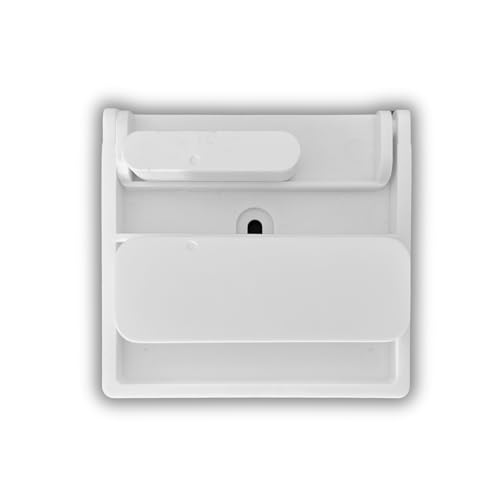
- Universal Holder Design: Fits any DIY Home Security Sensors including Ring Contact Senso…
- Easy Installation: Full-size, double-sided adhesive mounts easily and eliminates the nee…
- Precise Sensor Alignment: Allows for accurate positioning of your entry sensors, ensurin…
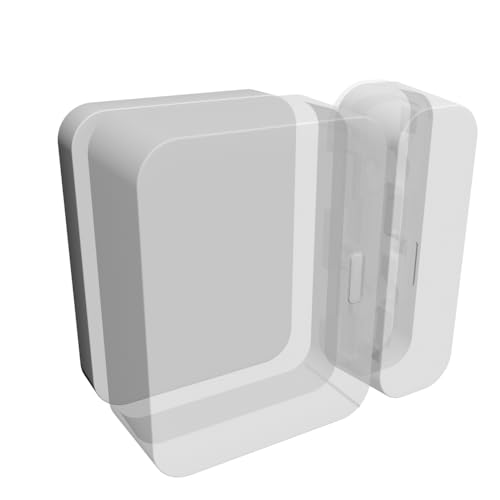
- Perfect Alignment: Ensures precise alignment of SimpliSafe door and window sensors, enha…
- Easy Installation: Compatible with SimpliSafe Entry Sensor devices for effortless setup …
- Seamless Integration: Blends seamlessly into any environment for a hassle-free installat…

